ip
TalkCok User Guide
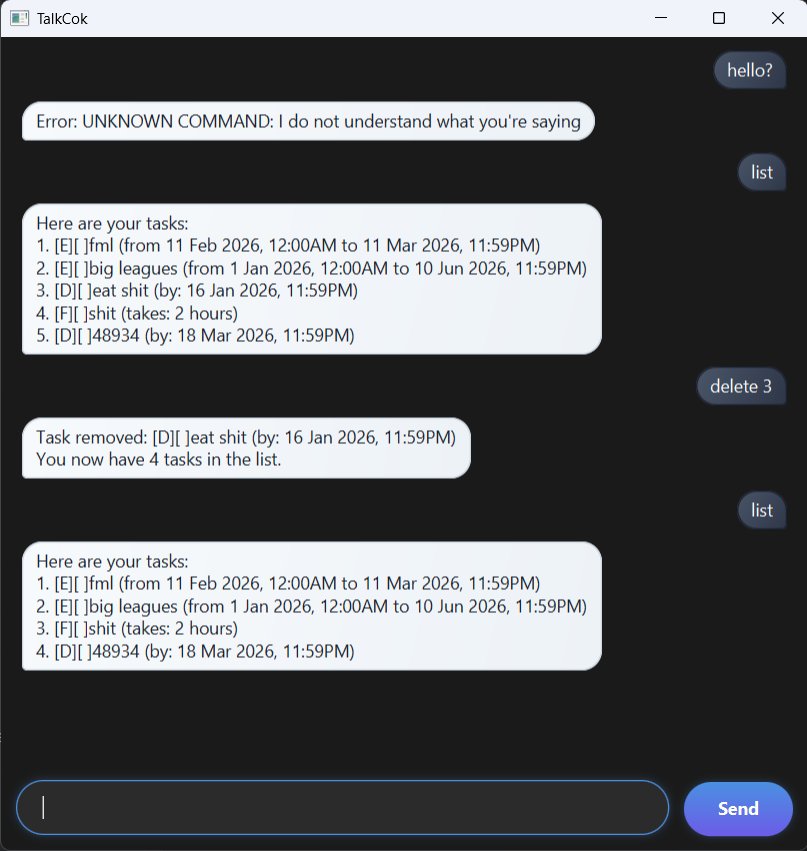
TalkCok is a desktop app for helping you track your tasks, optimized for use via command style chatting with a chatbot. Enter your commands to let the bot know what to do, and it will reply to you accordingly. A very fuss-free task tracker!
Adding tasks
Deadlines are one of the four types of tasks you can add. It is simply a task with a deadline.
To add such a task, enter “deadline /by” followed by the task and its deadline behind.
Example: deadline cut hair /by 25-4-2026 (Note that this date is in dd-mm-yyyy format, but it’s not the only
accepted format.)
The bot should reply with:
Task added:
cut hair (by 25 Apr 2026, 11:59PM)
List of passable commands
| Command word | Purpose | Usage format |
|---|---|---|
| todo | adds a to-do task | todo [task] |
| deadline | adds a deadline task | deadline [task] /by [date] |
| event | adds an event task | event [task] from [date] to [date] |
| fixed | adds a fixed duration task | fixed [task] takes [duration] |
| list | shows list of all tasks | list |
| find | find tasks by keyword | find [keyword] |
| mark | mark a task as finished | mark [index of task] |
| delete | delete a task | delete [index of task] |
| bye | exit and close app | bye |
⚠️ Remarks for commands:
- Multiple date-time formats are supported. The standard inputs will work, such as d/m/yyyy or d-m-yyyy.
- If no time is specified for deadlines, 2359 of the given day will be assumed. Similarly for events, 0000 of starting day and 2359 of ending day is assumed.
- “Find” command does not work for partial wording. Only one full keyword is allowed.
- Once marked, a task cannot be unmarked as not done. Delete and add the task back if needed, any new task added is unfinished by default.
Technicals
All your tasks are saved into a file named TalkCok.txt in the data directory. You can open this file with any
text editor to view or manually edit your tasks.
Tip: you can hover over a message to enlarge it a little.
Enjoy 😛